Mobile App Design: Part 3
We will be designing at 1x as we seen in the Part 1 of mobile app design as it is easy for exporting assets and we will use 8pt grid system as the base for…
Mobile App Design: Part 3
Setting up the artboard
We will be designing at 1x as we seen in the Part 1 of mobile app design as it is easy for exporting assets and we will use 8pt grid system as the base for our design.
**1) Artboard:
**For android set the artboard to 360x640 and for iOS 375x667.

Sketch, Creating an artboard
**2) Grid:
**All the elements align to 8 pt baseline grid and the typography and the tool bar icons align to 4pt grid in android. 16x16 grid is used in iOS but to keep things simple I set up my grid settings as 4pt block size with the increment every two lines. So I can use the same grid settings for all cases.
Note: The color of the light is very light so it doesn't look so complex.
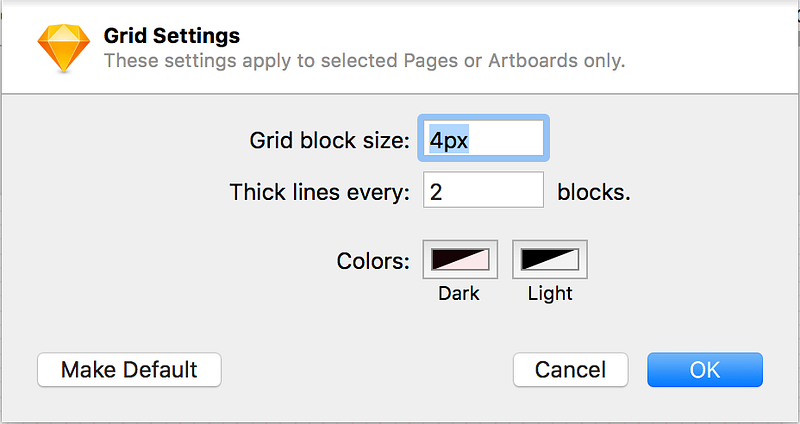
Grid Settings for the artboard in Sketch
3) Setting up metrics:
For easy setup I use Anthony Collurafici metric template.
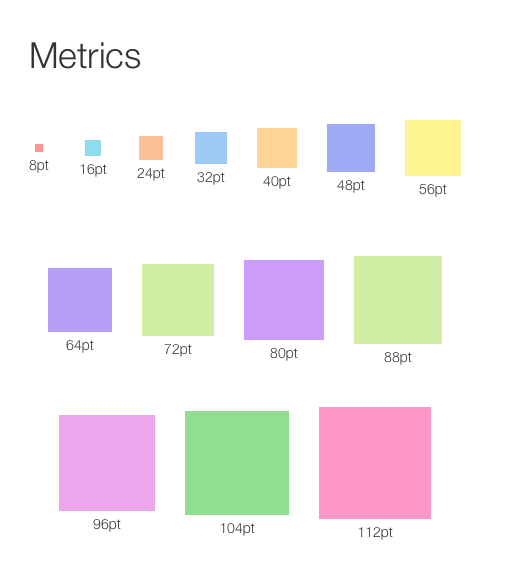
8pt Metrics by Anthony Collurafici
4) The final working artboard
